Book Appointment Now

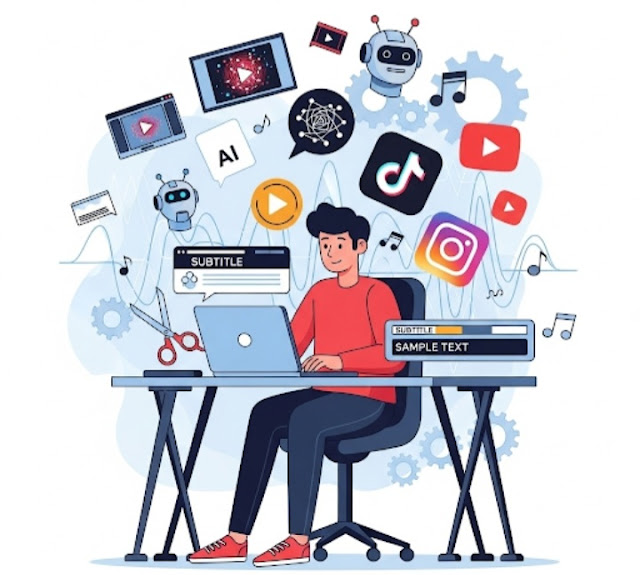
Turn Long Videos into Viral Clips 🚀 with AI 🤖
After Reading this 📖 You Will be Able to Create Viral Clips 🔥 from Long Videos 🎥 in No Time ⏱️
Making short, bite-sized videos 📱 for social media 🌐 is not straightforward 😅 — in particular when your original content is longer ⏳, such as a podcast 🎙️, interview 🎤, webinar 💻, or YouTube video ▶️. But video-editing ✂️ short clips 🎬 that are worthy of going viral 🌟 is now easier (and faster ⚡) than ever because of AI 🤖.

Here’s how you can leverage AI tools 🤖 to simplify your video editing workflow 🎬✂️ and produce quality content 🌟 consistently for platforms like TikTok 🎵, Instagram Reels 📱, and YouTube Shorts ▶️.
1️⃣.Get started with the Right AI Video Editing Tool
There are a few platforms powered exclusively by AI 🤖 that assist creators in trimming long-form content 🎥 into short clips 🎯. Some popular ones include:
Opus Clip 🎯 – Automatically detects viral moments 🔥 in your video and converts them into short-form content with captions 💬 and dynamic zoom 🔍.
Veed.io 🖋️ – Automatically generates subtitles 📝 using AI, resizes 📐 for various platforms, and trims quickly ⚡.
Pictory 🎞️ – Turns long webinars 💻 or Zoom recordings 🎥 into short snippets 🎬, perfect for repurposing.
Descript 📄 – Edit video as if it were a Word doc 📝; remove filler words 🚫 and awkward pauses ⏱️ in seconds.
💡 Choose the tool based on your needs 🎯 and budget 💵. Most provide free trials 🎁 to try before you buy.
2️⃣.Upload Your Long-Form Video
After you’ve chosen your tool 🛠️, upload your video 📤. It could be a YouTube vlog 📹, a podcast recording 🎙️, or a raw Zoom call 💻. Depending on length ⏳, AI tools usually analyze the content in minutes ⏱️.
Let the AI Work Its Magic✨
- Speech patterns (emotional or insightful points)
- 😃 Facial expressions & gestures
- 📊 Viewer engagement data (for YouTube links)
3️⃣.Keywords and topics
Most tools will serve up several short clips 🎬 perfectly formatted with subtitles 💬, transitions 🎨, and correct dimensions 📐 for each platform.
4️⃣ Tailor Your Clips 🎬 (Optional, but Recommended 👍)
AI is great 🤖 and powerful ⚡ but human touch ❤️ still matters. Before you publish 📤, you may want to:
- ✏️ Add tone and clarity to captions 📝
- 🖋️ Add your logo or watermark 💧
- 🎵 Pick background music 🎶 or sound effects 🔊
- ⏱️ Refine the timing of cuts ✂️ or zooms 🔍
This helps maintain brand consistency 🎯 and a polished appearance ✨ in your videos 📹.
5️⃣ Best Video Editing for Social Media 📱✨
Top 3 AI tools 🤖, based on ease of use 🙌, automation ⚡, and social media optimization 📊:
🎯Opus Clip – Best for Converting Long Videos 🎥 to Viral Shorts 🔥
Best for: YouTubers ▶️, Podcasters 🎙️, Coaches 🎓, Creators 🎨 who want auto-generated clips 🎬.
Features:
- 🤖 AI locates the viral parts 🔥 and creates short cuts (15–60 secs) ⏱️
- 💬 Captions, dynamic zooms 🔍, and emojis 😀
- 📱 Ideal for TikTok 🎵, Reels 📲, and Shorts ▶️
Pros: Super fast ⚡, less manual work ✂️, high accuracy 🎯
Cons: Works best with talking-head 👤 or podcast-style videos 🎙️
Cost: Free tier 🆓; paid plans start at $19/month 💳
📝 Descript – Ideal for Editing Video Like It’s a Doc 📄
Best for: Creators looking for greater autonomy 🛠️ without leaving AI behind 🤖.
Features:
- 🗒️ Edit videos by editing the transcript ✏️
- 🎤 AI voiceover, transcription 📝, and filler word remover 🚫
- 💻 Screen recording 📹 and multitrack editing 🎼
Pros: User-friendly interface 🖱️, versatile editing 🎯
Cons: Some learning curve 📚 for advanced features
Cost: Free limited plan 🆓; paid from $15/month 💳
🌐 Veed.io – Best All-in-One Online Editor 🖋️
Great for: Social media influencers 📱 and short-form video creators 🎬.
Features:
- 🤖 AI subtitles 📝, auto-translate 🌎, templates 📐 for social platforms
- ✂️ Simple trim, text overlay 🖋️, and progress bars 📊
Pros: Very easy for beginners 🙌, nice UI 🎨
Cons: Not as “smart” 🤷 as Opus Clip
Cost: Free tier 🆓; paid plans from $18/month 💳
6️⃣ Export & Post 📤🚀
AI video editing tools 🤖 can be a real time-saver ⏱️ for content creators 🎨, marketers 📈, and entrepreneurs 💼 who want to create and publish high-performing content 🌟 regularly.
If you produce tons of long-form content 🎥—whether on your own 👤 or through a content agency 🏢—AI will keep you ahead of trends 📊 and deliver consistent value 💎.
💭Final Thoughts 🤔✨
AI video editing tools 🤖 can be a real time-saver ⏱️ for content creators 🎨, marketers 📈, and entrepreneurs 💼 who want to create and publish high-performing content 🌟 regularly.
If you produce tons of long-form content 🎥—whether on your own 👤 or through a content agency 🏢—AI will keep you ahead of trends 📊 and deliver consistent value 💎.