Book Appointment Now
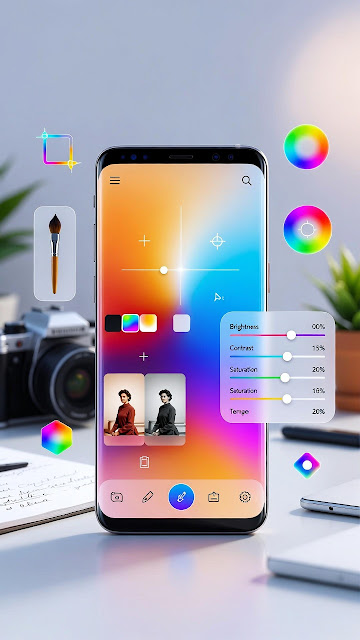
Transform Your Smartphone Photos: Best Editing Apps 📱💫
📸 Best Image Editing Apps to Transform Your Smartphone Photos into Masterpieces 🎨✨
🚀📸Next-Level Photo Editing: 6 Best Apps for Android & iPhone
Want to take your smartphone photography to the next level? From pro-grade editing to creative fun effects, these must-try apps help you enhance, retouch, and transform your pics like a pro — whether you’re posting on IG or perfecting shots for your portfolio! 🌟📸

Here’s a roundup of 6 top image-editing apps that will elevate your mobile photography game 🚀:
1️⃣ Adobe Lightroom Mobile 💼🎨
If you’re serious about editing, this app is a must!
✅ Advanced color grading
✅ Quick edits with presets
✅ RAW support
✅ Syncs with desktop
Perfect for professionals and enthusiasts alike 👌
2️⃣ Snapseed by Google 🤖📷
Free, intuitive, and packed with powerful features:
🎯 Targeted adjustments
🧼 Healing tool to remove objects
🎨 Artistic filters (Vintage, Drama, Grunge)
A beginner-friendly app that delivers pro-level results fast! ⏱️
3️⃣ VSCO 🎬📸
More than an app — it’s a whole vibe!
🎞️ Film-style filters
🧪 Custom settings for hue, temp, fade
📱 Integrated creator community
Perfect for a cohesive, cinematic Instagram feed 🌈✨
4️⃣ Picsart 🎉🖌️
Your all-in-one design + editing tool:
🎭 Add stickers, text, or cool effects
🧩 Create collages
🤖 Use AI for background removal & object swap
Fun, creative, and ideal for content creators 🎈
5️⃣ Afterlight 🌅🖼️
A perfect blend of simplicity & power:
🧃 Tons of filters, textures, and light leaks
🖼️ Cropping, tone curves, sharpening
🎞️ Frames and overlays for extra flair
Great for vintage vibes and moody aesthetics 💫
6️⃣ TouchRetouch 🧽🚫
Say goodbye to distractions in your photos:
🧼 One-tap removal tools for wires, blemishes, etc.
🧠 Smart algorithms for seamless edits
📚 Easy tutorials
Ideal for cleaning up images and highlighting your subject 🎯
💡 Final Thoughts
Taking a great photo is only half the story — editing brings it to life! 💥 Whether you’re adjusting tones, removing distractions, or adding your own flair, these apps help make your photos pop 🌟. Find your faves, get creative, and turn the ordinary into the extraordinary! 🧑🎨📷
Which app do you use the most? Share in the comments! 💬👇
FAQS
1️⃣ Which is the best free image editing app in 2025?
Many top apps offer free versions with powerful tools. Apps like Snapseed and Canva provide advanced editing features without cost, making them great for beginners and professionals alike. 🎨📱
2️⃣ Are mobile photo editing apps as good as desktop software?
Yes! Modern mobile apps now offer AI tools, advanced filters, background removal, and professional adjustments that rival desktop software. 📲💻
3️⃣ Which app is best for Instagram photo editing?
Apps with trendy filters, color grading tools, and quick presets are ideal for Instagram. Look for apps that offer portrait enhancement, aesthetic filters, and easy export options. 🌈📸
4️⃣ Do these photo editing apps support AI features?
Most 2025 editing apps include AI-powered tools like automatic background removal, object erasing, skin retouching, and smart enhancements. 🤖✨
5️⃣ Are these image editing apps available for Android and iPhone?
Yes, most popular photo editing apps are available on both Android and iOS platforms. 📱✅
6️⃣ Can beginners use these photo editing apps easily?
Absolutely! These apps are designed with user-friendly interfaces, one-tap filters, and guided editing tools perfect for beginners. 🌟👩🎨
7️⃣ Which app is best for professional photography editing?
For professional-level editing, choose apps that offer RAW editing, advanced color correction, layer support, and detailed retouching tools. 📷🎯