Book Appointment Now

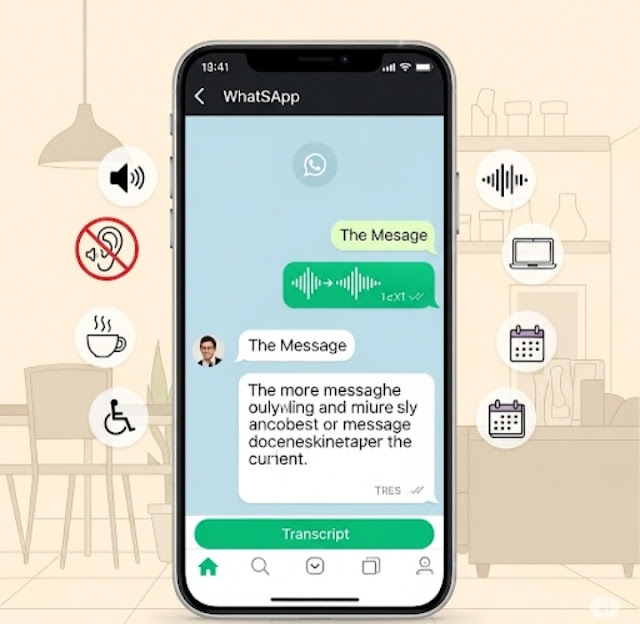
How to Read WhatsApp Voice Notes Like Text Messages! A Simple Step-by-Step Guide 📝🔊
📝WhatsApp Voice Message Transcription: How to Convert Voice Notes into Text
🔥📱 WhatsApp just made voice notes easier than ever! If you often receive long audio messages but don’t have time (or privacy) to listen, this new feature is a game-changer. 🎧➡️📝 WhatsApp’s Voice Message Transcription lets you instantly turn voice notes into readable text, so you can catch every detail silently and quickly. Whether you’re at work, traveling, or scrolling late at night 🌙, this guide shows how to use WhatsApp voice message transcripts, why everyone’s talking about it, and how it can seriously upgrade your daily chats. 🚀💬

🔍 What’s the Voice Message Transcript Feature?
WhatsApp now lets you read voice messages instead of listening to them — perfect when you’re in a meeting 🤫, on the go 🚶♀️, or just don’t feel like pressing play 🎧.
🛠 How to Use Voice Message Transcripts
✅ Step 1: Make Sure You’re Ready
- 🔄 Update WhatsApp to the latest version via the App Store or Google Play.
- 🌐 Check Language Support – Available in English, Spanish, Portuguese, Russian, and more.
- 📱 Use a Compatible Device – Newer models are more likely to support it.
🚀 Step 2: Enable and Use It
- 💬 Open a WhatsApp chat with a voice message.
- 🎙 Tap the voice note, and look for the “Transcript” option (if supported).
- 📄 Read the transcript just like a regular text message.
- 📋 You can copy or share the transcript if needed.
💡 Why This Feature Is Awesome
- ⏱ Time-Saving – Read long messages quickly.
- 🔊 Perfect for Any Environment – Whether it’s noisy or too quiet.
- 🧏♂️ Accessibility Boost – Great for users with hearing difficulties.
- ✨ Clarity – Understand voice messages even when the audio isn’t clear.
🛠 Troubleshooting Tips
- ✅ Update WhatsApp
- 🌐 Check Language Settings
- ⏳ Wait for Rollout – May not be on your device yet
- 🔄 Try Reinstalling WhatsApp if all else fails
🗣 Final Thoughts
The voice transcript feature makes WhatsApp more flexible, faster, and accessible. 🙌
Whether you’re multitasking, in a rush, or just prefer reading, this tool is worth trying! 📲
💬 Tried it already? Drop your feedback in the comments!
FAQS
1. What is WhatsApp voice message transcription? 🎧➡️📝
WhatsApp voice message transcription is a feature that converts voice notes into readable text, so you can read messages instead of listening.
2. How do I turn WhatsApp voice messages into text? ⚙️📱
Go to WhatsApp Settings, enable Voice Message Transcripts, then tap and hold a voice note and select Transcribe.
3. Is WhatsApp voice message transcription free? 💯
Yes ✅ this feature is completely free and available inside the WhatsApp app.
4. Does WhatsApp voice message transcription work offline? 🌐❌
No, an active internet connection is required to convert voice messages into text.
5. Which languages are supported for WhatsApp voice transcription? 🌍🗣️
WhatsApp supports multiple popular languages, with more being added in future updates.
6. Is WhatsApp voice message transcription available on Android and iPhone? 🤖🍎
Yes, it works on both Android and iOS devices running the latest WhatsApp version.
7.Are WhatsApp voice message transcripts private and secure? 🔒
Absolutely! WhatsApp uses end-to-end encryption to keep your messages and transcripts private.
8. Why can’t I see the voice message transcription option? ❓🚫
Update WhatsApp to the latest version and ensure the feature is available in your country.
9. Can I copy or share WhatsApp voice message transcripts? 📋📤
Yes 👍 once transcribed, you can copy, forward, or share the text like a normal message.
10. Is WhatsApp voice transcription accurate? 🎯
Accuracy depends on clear speech, supported language, and low background noise.