Book Appointment Now

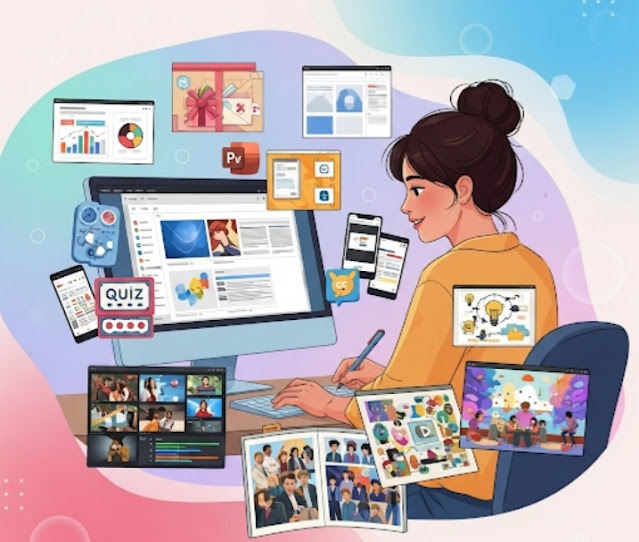
New Features for PowerPoint Presentations 🖥️✨
👉 Try these 🔟 new PowerPoint features 🎨💡 in your presentations 📊🖥️!
💭 While you may think of PowerPoint as simply a tool to create presentations 📊, its capabilities extend much deeper 🌊. It is also an incredibly versatile platform 🛠️ that can be used for a variety of creative projects 🎨✨ with great features 🚀.
📌 This article highlights 🔟 creative uses of PowerPoint, aside from making presentations! 🧠💡

1.Infographics📊🖼️
Present information as compelling infographics using images, diagrams, and charts made with Microsoft PowerPoint. 🧩 It can also be shared or included as a link in social posts or blog articles. 💻🔗
2.Digital Invites and Greeting Cards💌🎉🎄
Create stunning invitations and greeting cards — whether it’s for a wedding, birthday, or Christmas. 🎂💍🎅 With templates, animations, and pictures, you can craft personalized and interactive cards that excite your readers! ✨📬
3.E-books and Guides📚📝
PowerPoint is great for educational eBooks, selling guides, and instruction manuals. 🎓📖 Prioritize information placement, use charts and images, and offer them as PDFs or interactive documents. 🔄📤
4.Prototyping and Wireframing💻📱🧩
Use PowerPoint’s layouts and design tools for creating prototypes and wireframes for websites, apps, and software. 🤝 Collaborate with your team in just a few clicks! 🔗👥
5.Social Media Graphics📱🎨📢
Design Facebook banners, Twitter headers, and more using PowerPoint’s built-in graphics and customization tools. 🖼️ This ensures brand consistency and visual appeal across all your content! 🧑💼📷
6.Interactive Quizzes and Games🎮❓✨
Make learning fun by designing quizzes and games. 🧠💬 Great for education, marketing, and team-building activities — just hit “Play”! ▶️🎯
7.Video Editing🎬🎞️🎧
Turn slides into engaging videos using PowerPoint’s video editing features. 🎥 Add animations, transitions, and audio to bring your message to life! 🔊✨
8.Mind Maps and Brainstorming🧠🌐💡
Use shapes, colors, and connectors in PowerPoint to build dynamic mind maps and brainstorming diagrams. 🖌️ Collaborate and visualize ideas with your team! 🤝📝
9.Digital Portfolios🗂️🎓🖼️
Showcase your skills, projects, and achievements by building a sleek e-portfolio in PowerPoint. 💼 Personalize it with templates to make a strong online impression. 🌟📂
10.Interactive Storytelling📖🎭🌟
PowerPoint brings stories to life with animations, sound effects, and interactive links. 🔊✨ Create a journey that keeps your audience captivated! 🚀📺
💡Tip: Add some creative slides to your next presentation and explore PowerPoint beyond just bullet points. You’ll be amazed at what it can do! 🎯💻💥