Book Appointment Now

WhatsApp Doc Scanner: Quick Guide 🆕🔍
📱📄 WhatsApp Offers In-App Document Scanner: Offers In-App Document Scanner:
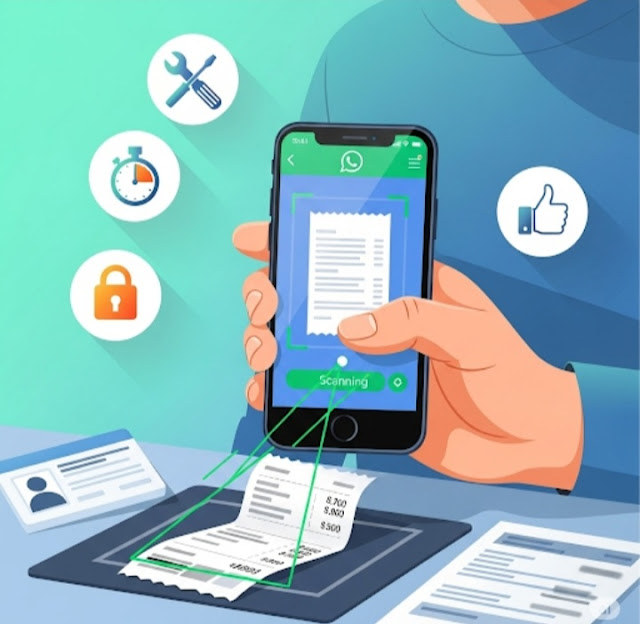
WhatsApp has been continuously adding ✨new features✨ recently to improve the overall usability, and now it has introduced a built-in document scanner 📷🧾. With this new feature, users can simply take a picture of a document to scan it using the app, making it incredibly easy to share high-quality scanned copies 📤📑 without the hassle of any tedious third-party apps 🛠️🚫.

📲🆕So, today, we will explore this amazing new feature and its functionality. What does it mean for WhatsApp Users?
🤔 What does it mean for WhatsApp users?
📄🔍 What is a Built-in Document Scanner?
🧾QSEND QR-CODE SCANNER: A built-in document scanner is one of the most used features in WhatsApp 💬, allowing you to scan documents like receipts 🧾, invoices 📃, and ID cards 🪪 directly through the app.
✅This means no need for third-party scanning apps or manually snapping photos! 📸❌
⚙️📷 How Does it Work?
It is super easy to use the built-in document scanner on WhatsApp. 😎📱
How you can use it, step by step:
- 📂Open WhatsApp and go to the desired chat.
- 📎 Tap the paperclip icon to attach a file.
- 📁 Choose “Document” from the list.
- 📷 WhatsApp will prompt you to scan the document using your camera.
- 🗂️ Position the document within the camera view – WhatsApp will automatically detect edges and scan it.
- ✂️ You can preview, crop, and ✏️ annotate the document if needed.
- 📤 Finally, tap “Send” to share the scanned document.
⭐📈 The Advantages of the Built-in Document Scanner
📈✨ WhatsApp’s built-in document scanner has several advantages, such as:
🛠️Convenience: No third-party scanning apps for download and installation
👍User friendly: The scanning process is simple and user-friendly.
⏱️ Time-Saving: because the user is not required to open any image or PDF editing application to capture and save a document file and wait for the file to be saved to device memory.
🔐Security: None other than WhatsApp is to say to keep scanned documents, which therefore reduces the risk of someone accessing it unauthorized.
✅ Conclusion
For those who frequently share documents on WhatsApp, this new document scanner is a game-changer 💯.
📚 Whether you’re a student submitting assignments, a professional sharing contracts 📄, or someone who wants to quickly scan receipts this feature makes it a breeze! 🌀
📢Have you used WhatsApp’s built-in scanner yet? Let us know what you think! 💬👇