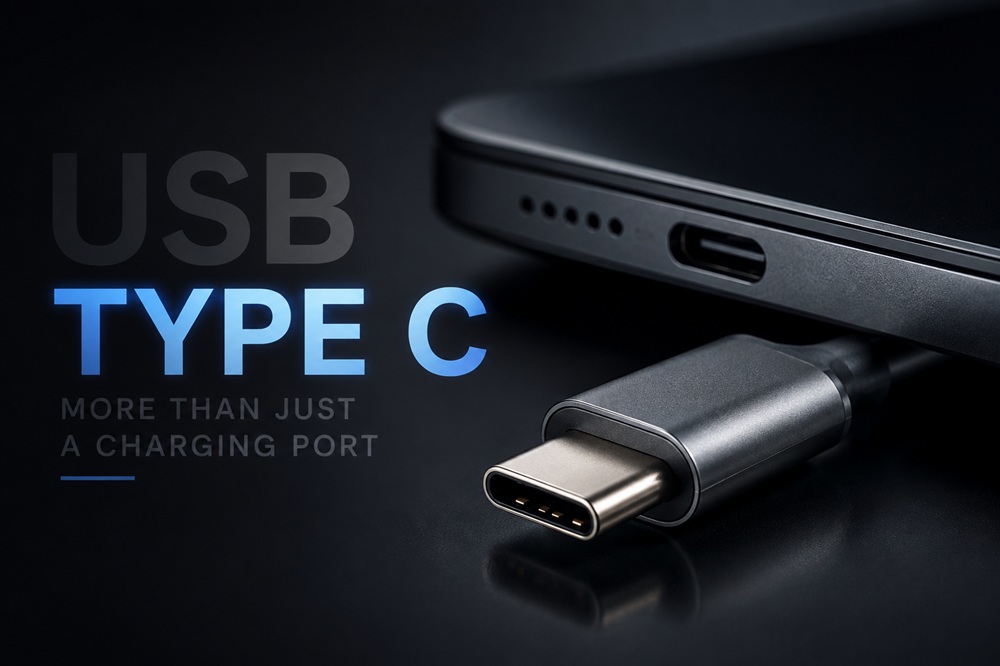
Most people use the USB-C port on their phone for one simple reason: charging. But that little connector can be much more useful than it looks. Depending on your device, you may be able to connect a monitor, transfer files, use external storage, connect headphones, plug in a controller, or even charge another device.
The important part
The USB-C shape doesn’t tell you what a device can do. Two phones can have the same port while offering completely different speeds and features.
Connect Your Phone to a Bigger Screen
Some phones and tablets can send video through their charging port, allowing you to connect them to a monitor or TV. You could use a larger screen for movies, photos, presentations, games, or even a desktop-style interface on supported devices.
The catch is that your phone needs to support video output. Simply having the connector isn’t enough.
A USB-C connector is small and reversible but what it can do depends on the device and cable.
Use a Flash Drive or External SSD
Running out of storage? On compatible devices, you can plug in a flash drive or external SSD and access your files directly.
This is especially useful for large photos and videos. Instead of uploading a huge file to the cloud and downloading it again, you can move it straight to external storage.
Don’t judge it by the shape
A connector that looks identical can offer very different transfer speeds. Check your device’s specifications before buying a fast SSD or high-speed cable.
Turn a Phone into a Mini Workstation
A compatible phone or tablet can also work with a keyboard, mouse and other accessories. Add a display and you can create a setup that feels surprisingly close to using a small computer.
This can be handy when writing documents, working with spreadsheets, managing files, or simply when you want a bigger screen and proper keyboard.
It Can Handle Audio Too
The same connection can carry digital audio, which is why phones without a traditional headphone jack can use wired headphones or an adapter.
So it isn’t limited to moving files or supplying power. With the right accessory, it can also become your wired audio connection.
Your Phone Can Sometimes Charge Something Else
Power doesn’t always have to travel into your phone.
On supported devices, the connection can work in the opposite direction and provide power to another gadget. For example, you might be able to give your wireless earbuds or another small accessory a quick charge.
Power can work both ways
With compatible hardware, the connection can receive or provide power. The available amount depends on the device and its charging technology.
One Cable Can Connect Your Entire Desk
This becomes even more useful with laptops.
A docking station can let one connection handle a monitor, keyboard, mouse, Ethernet, storage and other accessories. Some docks can also supply power to the computer.
Instead of connecting several cables every time you sit down at your desk, you may only need one.
What About USB4 and Thunderbolt?
This is where things get a little confusing.
USB-C is the physical connector, while USB4 and Thunderbolt are technologies that can use it. Depending on the computer and accessories, they can provide much higher speeds and support things such as fast storage, displays and docking stations.
That means two ports can look exactly the same while behaving very differently.
Before buying a cable
- Check the supported data speed.
- Check the power rating.
- Check whether your device supports video output.
- For advanced accessories, check for USB4 or Thunderbolt support.
The Cable Can Make a Difference
Here’s something many people discover the hard way: not every cable is equally capable.
One may be perfectly fine for charging but slow for transferring files. Another may support high-speed storage or a display. Some are designed for higher power levels as well.
So don’t buy a cable simply because the ends fit. Look at the specifications if you need a particular feature.
Same connector different capabilities
So, What Can This Little Port Do?
Depending on the device, it can potentially handle charging, file transfers, external storage, displays, audio, keyboards, mice, controllers, networking and docking stations.
That’s what makes it so useful. One small connector can replace several different types of connections.
The simple rule
USB-C tells you the shape, not the capabilities. Always check what your particular phone, laptop and cable actually support.
Remember
That small port on the side of your phone may look like nothing more than a place to plug in a charger. But on the right device, it can become a connection to your monitor, storage, headphones, accessories and even another device that needs power.
So next time you plug it in, remember you might be using only one of its many abilities.

Afshi Speaks is a general interest blog dedicated to exploring the stories, ideas, and topics that shape our world. Our team researches and writes across a wide range of subjects to bring curious readers honest, informative, and engaging content.
Leave a Reply